
You find the perfect moment in a long video: a surprising answer, a clear demonstration, or a story worth sharing. Then comes the editing decision. Should it be a quick 20-second clip, a one-minute Short, or something longer?
YouTube Shorts can be up to 3 minutes long. The limit gives you room to finish an idea, but it does not tell you how much of that room to use. A tight reveal may need only a few seconds. A useful explanation may need the question, the answer, and an example. This guide covers the current YouTube Shorts length rules, the restrictions that matter for longer clips, and a practical way to find the right cut with VideoTube.
The YouTube Shorts Length Limit Is 3 Minutes
The maximum length of a YouTube Short is 3 minutes, or 180 seconds. YouTube raised the previous 60-second cap for standard channels on October 15, 2024. On a standard channel, a square or vertical video uploaded from that date qualifies as a Short when it runs for three minutes or less. Videos uploaded earlier keep their original classification.
| Rule | What it means for your edit |
|---|---|
| Maximum duration | Keep the finished Short at 3 minutes or less. |
| Eligible aspect ratio | Square or vertical. |
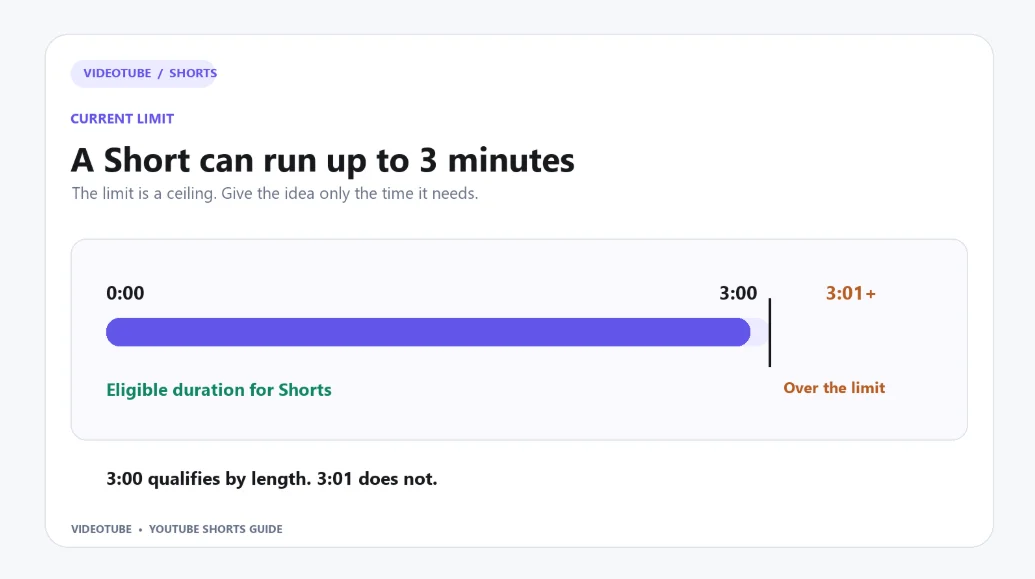
You can upload a qualifying Short through the YouTube app or YouTube Studio. Think of three minutes as an upper boundary. If you have a longer source video, select a complete moment and cut it down before uploading. The strongest cut gives viewers everything they need to understand that moment, without keeping material that delays the point.
What Happens If Your Video Exceeds 3 Minutes?
A video that runs past the three-minute limit does not qualify as a Short under YouTube's duration rule. Uploading a four-minute vertical video through the regular upload flow does not fail simply because it exceeds the Shorts limit; it is treated as a regular video. In the YouTube app's Shorts upload flow, you can use Edit into a Short to trim a video longer than three minutes. A video at exactly 3:00 meets the duration limit; one at 3:01 does not.
If your source recording is six minutes long, look for distinct ideas inside it instead of squeezing the whole recording into one clip. A product walkthrough might contain a problem, a demonstration, and a result. Each could become its own Short if it makes sense on its own. Keep the question or setup that the viewer needs, then end each clip after its payoff.
Is There a Minimum Length for a YouTube Short?
YouTube's published Shorts rules specify the maximum length but do not set a minimum. A very short clip can qualify if it meets the format requirements.
The practical question is whether it feels complete. A five-second reaction may work because the action is immediately clear. A five-second excerpt from a tutorial may leave viewers without the step they came to see. Cut for a complete thought, not for the smallest possible number on the timeline.
What Qualifies as a YouTube Short?
The three-minute limit works together with the square-or-vertical format rule. If you are turning a wide recording into a Short, the exported frame needs attention as well as the runtime.
Aspect Ratio and Export Checks
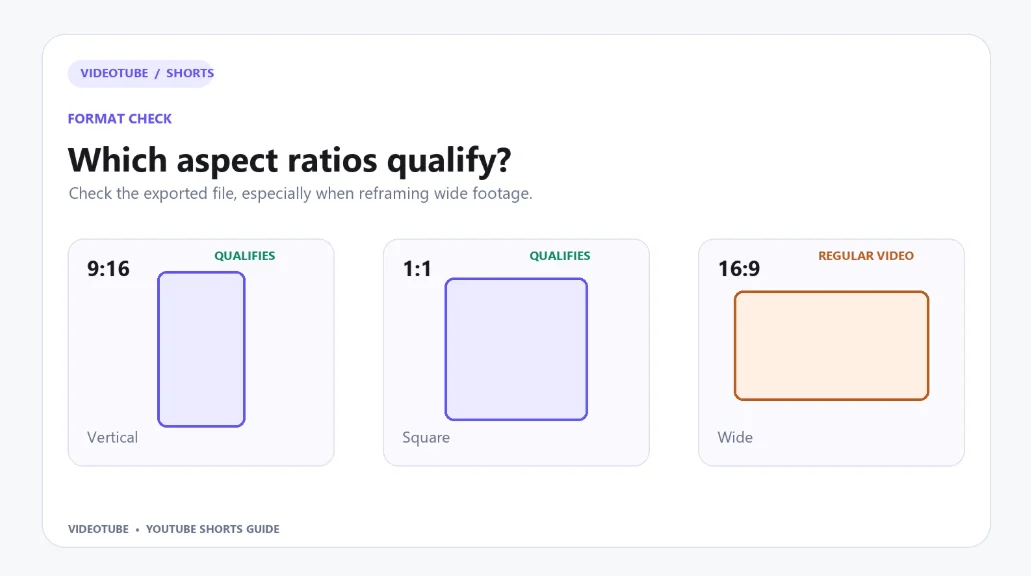
Before you publish, check the exported file's duration and aspect ratio: it must be no longer than three minutes and square or vertical. A vertical 9:16 layout fills a phone screen well; square footage also qualifies. If you reframe a wide recording, check that the speaker, demonstration, or key action remains visible.
If you are repurposing a long interview or tutorial, export the selected passage as its own Short. Editing a new clip from the source does not change the original video. For a closer look at keeping speakers, captions, and key details inside a vertical frame, see VideoTube's guide to cropping a video.
Why Your Video May Appear as a Regular Upload
First, check the upload date. The three-minute classification is not retroactive, so an older video may keep its original long-form status. Next, inspect the exported file, not just the project settings. A wide 16:9 export does not meet the square-or-vertical rule, even if the video is under three minutes. Finally, make sure you are looking at the new clip rather than the original video you repurposed.
Music and Copyright Rules for 1–3 Minute Shorts
Longer Shorts need an extra audio check. A clip can have the right duration and shape yet still be blocked because of a copyright claim. Review the soundtrack before you export, especially if it came from a source recording that already contained music.
How Long Can You Use Music from the Shorts Audio Library?
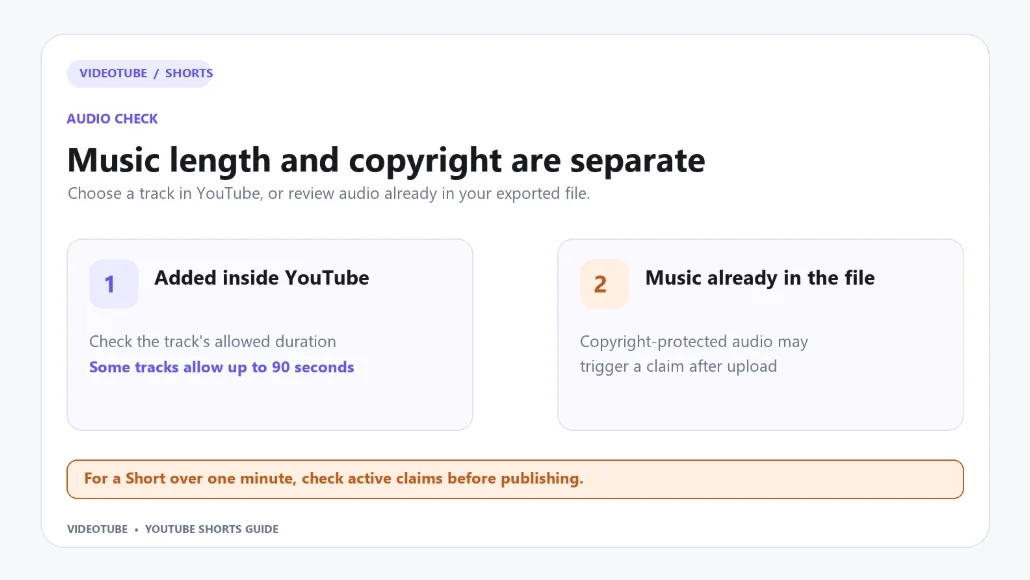
In a three-minute Short, some songs in the Shorts Audio Library can cover up to 90 seconds when added through YouTube's creation tools. The available duration depends on the song and the upload workflow. YouTube shows the allowance when you select a track, so check it before planning the edit around that music.
Adding a song with YouTube's creation tools is different from exporting a file that already contains copyrighted music. The latter can receive a copyright claim on upload. Original audio and royalty-free music from YouTube Studio's Audio Library are other options. Whatever you use, review the finished Short's audio before posting; the runtime of the video and the permitted use of a particular song are separate questions.
What Happens If Your Short Has a Content ID Claim?
For standard creator channels, YouTube's general guidance says a Short over one minute with an active copyright claim will be blocked globally while that claim remains active, regardless of whether the claimant's policy is to monetize, track, or block other videos. A blocked Short cannot be played or recommended, and it cannot earn Shorts ad revenue while the claim remains active. An active claim itself does not give your channel a copyright strike.
That is why the audio check belongs in your editing workflow. If a longer clip includes claimed material, remove or replace that material, or resolve the claim, before treating the Short as ready to publish. A 1–3-minute Short without an active claim can participate in Shorts Feed ad revenue sharing when the channel meets YouTube Partner Program requirements and has accepted the Shorts Monetization Module. The duration alone does not rule it out.
How Long Should Your YouTube Short Be?
There is no single best YouTube Shorts length for every idea. Start with the point you want viewers to take away, then include only the context needed to make it land. The ranges below are editing guides, not YouTube rules.

When Is a Short Under 30 Seconds Enough?
Use a short cut when the moment is easy to understand at a glance: a visual transformation, a quick tip, a punchline, or a direct answer. Put the action or answer near the start. If the clip needs a long introduction to make sense, it probably needs a different opening or more time.
A useful test is to show the cut to someone who has not seen the original recording. If they understand the point without an explanation, the short version is doing its job.
When Should You Use 30–60 Seconds or Up to 3 Minutes?
Give a demonstration enough time to show the important steps. Give an interview answer enough room to include the question that makes it meaningful. A longer Short earns its runtime when each section adds information the viewer needs.
Imagine a webinar answer with three parts: the common mistake, the fix, and a concrete example. You might make a 45-second version with the mistake and fix, then a longer version that also includes the example. Choose the version that delivers the clearest complete answer. Do not stretch a finished idea toward three minutes simply because the platform allows it.
Does a Shorter Short Get More Views?
A shorter runtime alone does not guarantee more views. YouTube's Shorts discovery guidance looks at signals such as whether viewers choose to watch, average view duration, average percentage viewed, and viewer satisfaction. The opening, the clarity of the idea, and whether people stay for the payoff all matter.
Compare your own Shorts by topic and purpose. If viewers leave a 90-second explanation during a repeated setup, shorten that setup. If a 25-second clip loses its meaning because it cuts out the answer, add the missing context. Let the viewer response guide the next edit.
How to Make YouTube Shorts from a Long Video with VideoTube
Finding a strong moment in a long recording is the first challenge. VideoTube's AI Clip Maker analyzes longer videos and generates multiple candidate highlights, so you can begin with promising passages rather than search the entire timeline yourself. Before generating clips, choose the length range and video ratio that fit your goal; then review the results and prepare your favorites for Shorts.
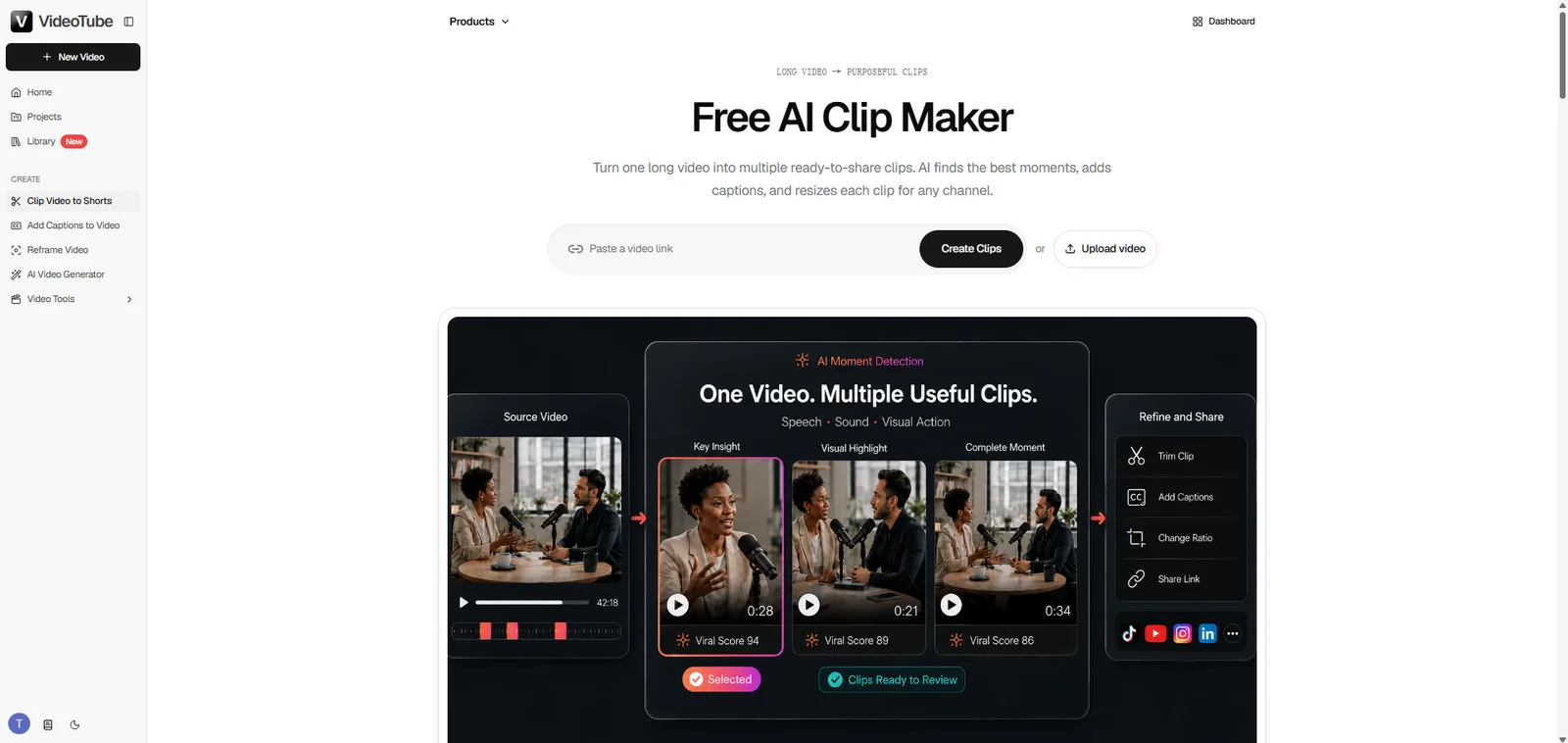
Find Highlights with AI
Add your video to VideoTube, choose your clip settings, and generate clips. The results appear as separate candidates you can preview and compare. Look for a complete answer, a useful demonstration, a memorable reaction, or a story with a clear ending. One recording can contain several different Shorts, each with its own reason to exist.
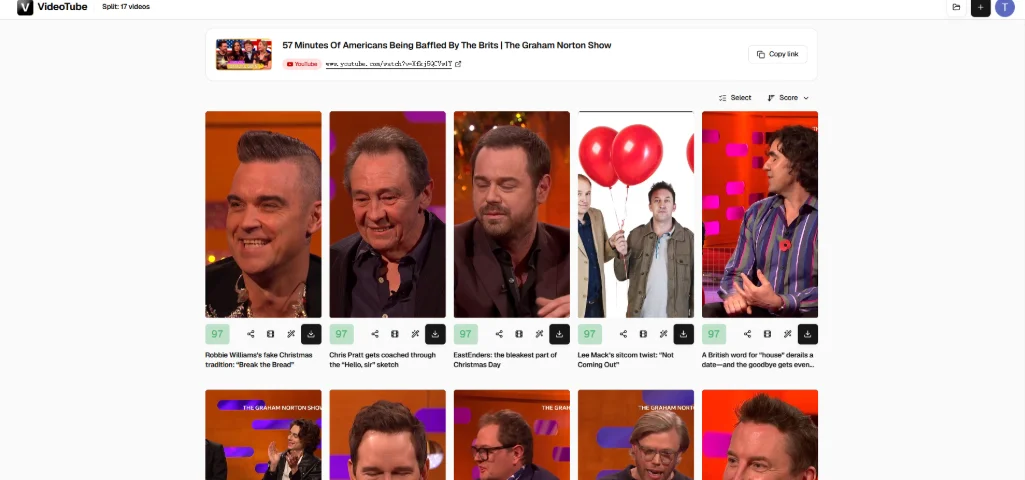
Treat the suggestions as a selection to edit. The best passage is not always the loudest moment; it is the one a new viewer can understand and care about without watching the full source.
Review and Adjust Each Clip's Length
Use the Clip Length setting before generation to guide the output. VideoTube offers ranges including Under 30s, 30s–59s, 60s–89s, and 90s–3min, plus Auto (0–3min). If your target is a YouTube Short, choose an option that stays within three minutes rather than one of the longer ranges in the menu.
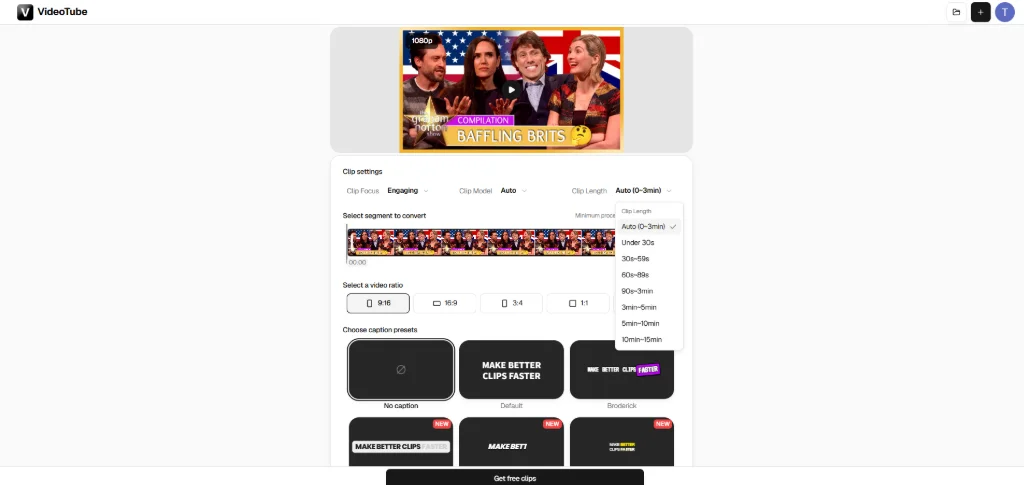
Then preview the beginning and end of each candidate. Does the first sentence give enough context? Does the ending include the result? Refine the clip where needed: remove pauses, repeated explanations, and detours, while keeping the seconds that make the moment coherent.
Check the Frame, Captions, and Audio Before Export
Choose a vertical layout when you want the clip to fill the Shorts feed. Review the frame after resizing, especially when a wide source contains two speakers, a screen recording, or an important object near the edge. VideoTube also offers captions; read through names and key terms before exporting.
Finally, play the exported file from start to finish. Confirm the duration is within three minutes, the message is complete, and the soundtrack follows the rules above. Then upload the finished clip to YouTube.
How to Tell If Your Short Is Too Long—and What to Fix
The most useful length decision often comes after you publish. YouTube Studio shows how viewers responded to the edit you chose. Use that feedback to improve your next Short rather than applying the same duration to every topic.
How Many Chose to View and Where Viewers Drop Off
In YouTube Studio, How many chose to view shows the share of times viewers watched your Short rather than swiping away. Audience retention shows where viewers continued, skipped, rewatched, or left. Read both in context: frequent swipes suggest the opening needs work, while a drop later in the clip points to pacing, a delayed payoff, or material the viewer no longer needs.
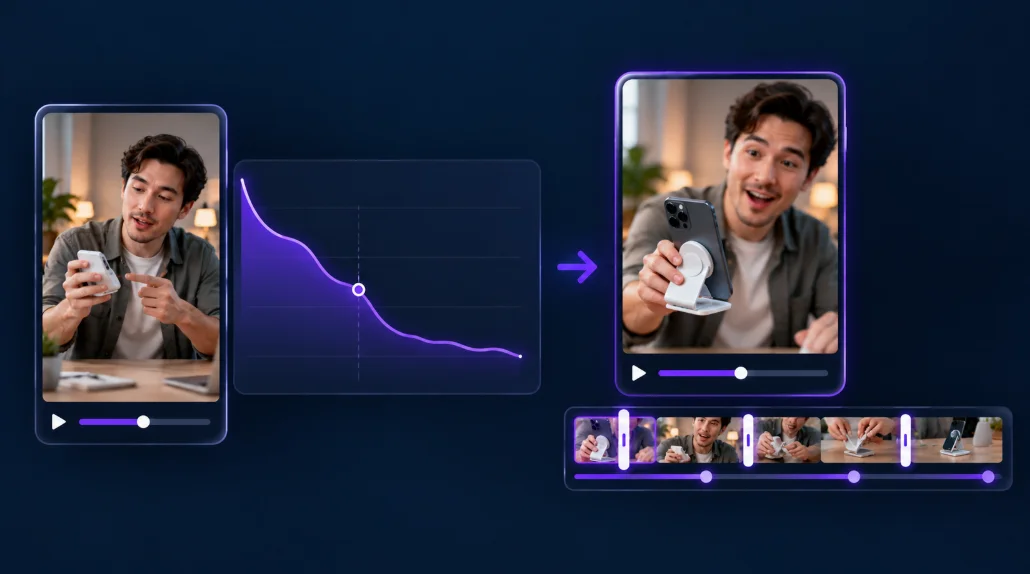
Compare clips that serve a similar purpose. A one-step tip and a detailed explanation give viewers different reasons to stay, so a single percentage cannot decide the right length for both.
Shorten the Opening or Keep More Context
If viewers leave before the point begins, cut the preamble and open closer to the action. If they leave halfway through a repeated explanation, keep the strongest version of that explanation and remove the rest.
Sometimes the solution is to keep more context. If the clip starts in the middle of a sentence or the payoff makes little sense without the question, restore the missing setup. A Short should feel concise, but it should also stand on its own.
Refine Your Next Cut with VideoTube
Return to the source recording in VideoTube, choose the highlight you want to improve, and adjust its opening, ending, or length. You can also try a different AI-suggested moment that reaches the point faster. Review the frame and captions again, export the revised clip, and use your next upload to learn what your audience actually stays to watch.
Three minutes is the limit. The right length is the cut that lets the moment work. Start with VideoTube's AI Clip Maker to find that moment in your long video and turn it into a Short worth finishing.