Free Online Video Cropper
Select the exact area you want to keep or choose a preset aspect ratio, then download your cropped video with no sign-up and without watermark.
Drop a video here
or choose a file from your device
Processed locally · Never uploaded · MP4 / MOV / MKV / WebM
How to Crop a Video Online
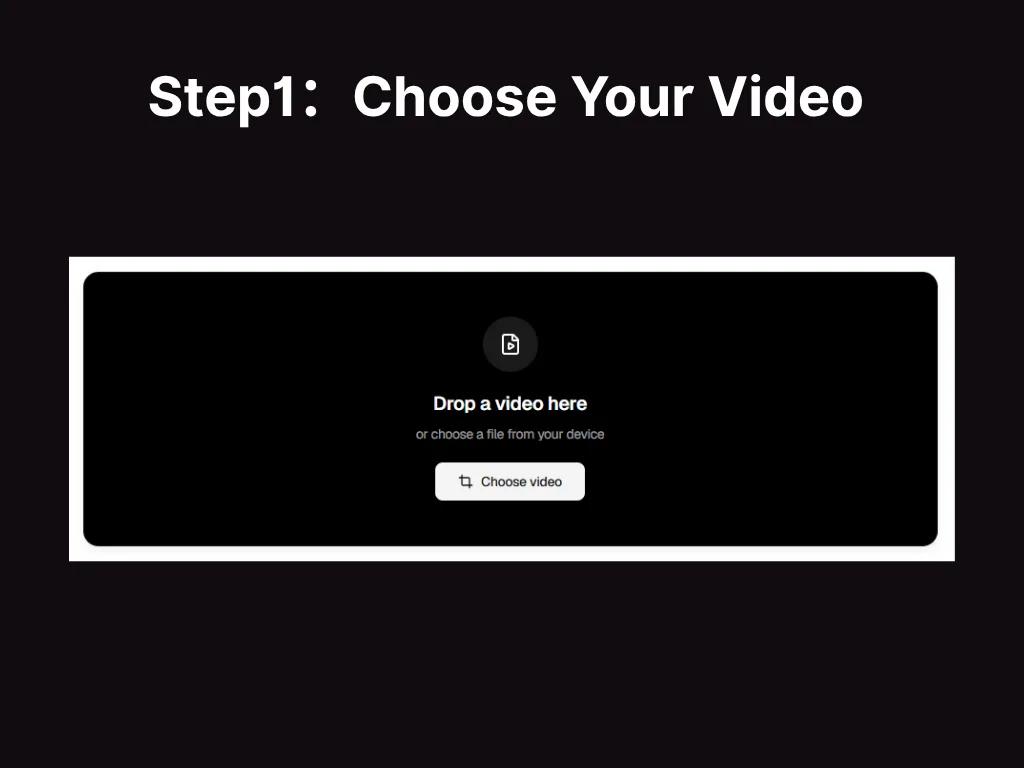
Choose Your Video
Choose an MP4, MOV, or MKV video from your device. VideoTube's Video Cropper will open the file and display a preview so you can check the frame before making changes.
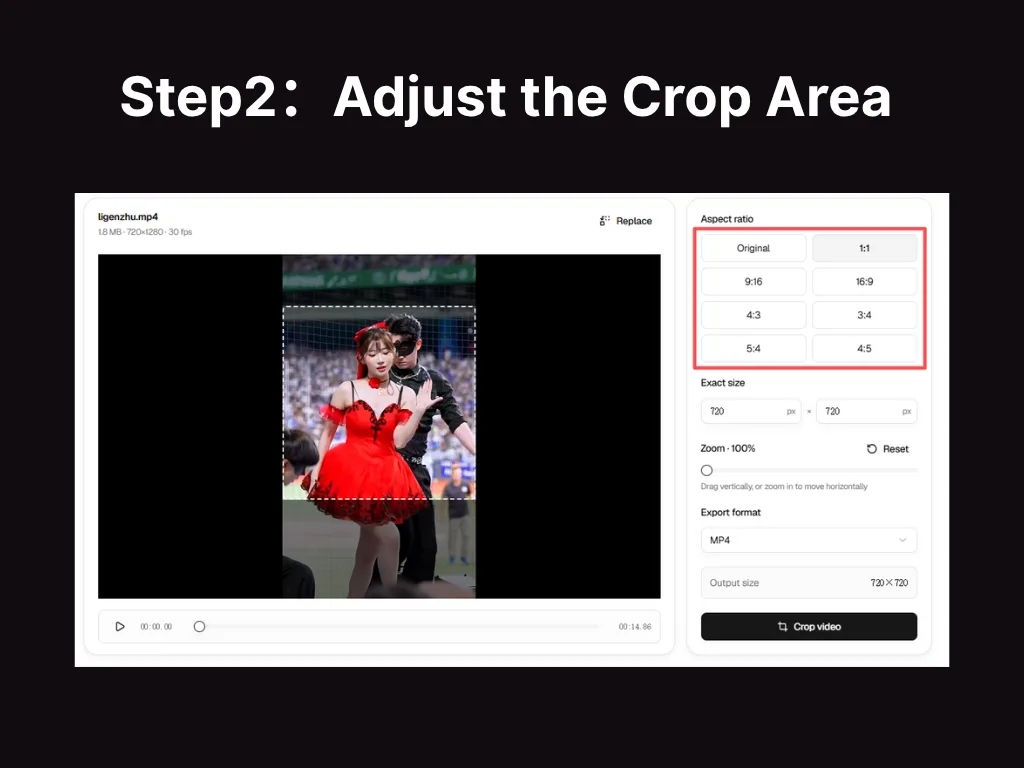
Adjust the Crop Area
Drag and resize the crop frame to keep the exact area you want, or choose a preset aspect ratio when you need a standard horizontal, vertical, or square layout.
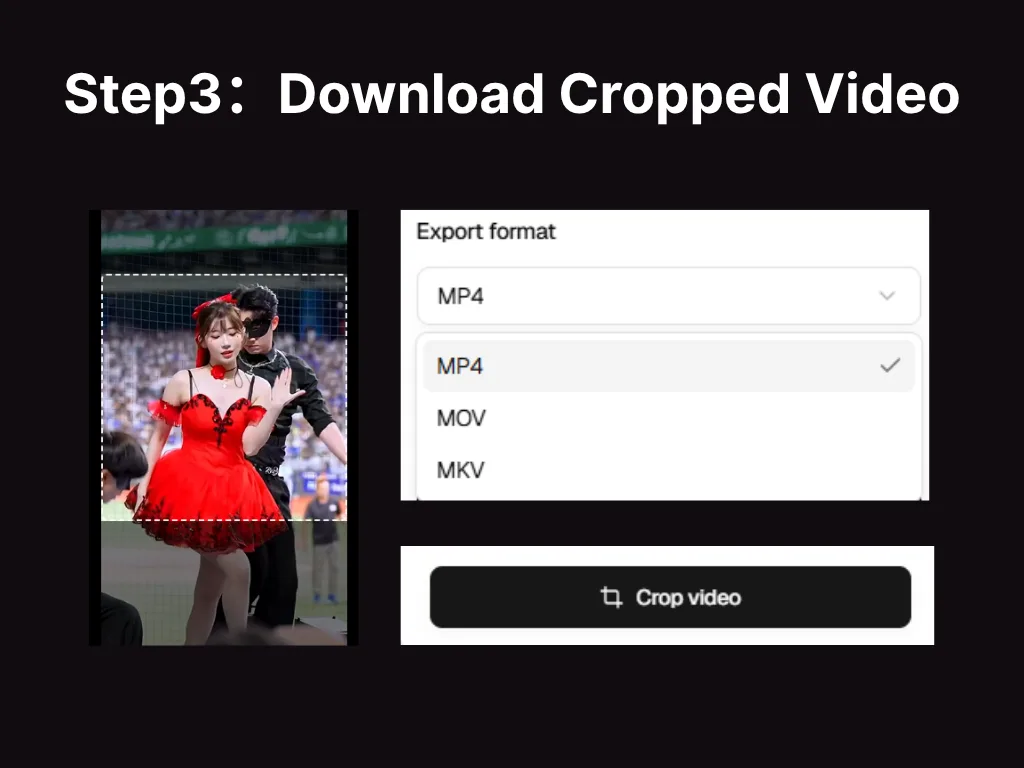
Download Cropped Video
Check the new frame, apply the crop, and download the finished video to your device. No sign-up is required, and no watermark is added to the result.
Crop Videos with More Control and Less Effort
Use Video Cropper for accurate framing, flexible aspect ratios, and a clear workflow from choosing a file to saving the result.
Crop with Precision
Drag and resize the crop frame to keep the exact area you need while removing unwanted edges and empty space.
Match Any Aspect Ratio
Choose a preset ratio or set custom dimensions for landscape, portrait, square, and other layouts.
Keep the Subject in Focus
Reposition the frame around people, products, captions, or key action so important content stays visible.
Open Popular Video Formats
Crop MP4, MOV, and MKV videos directly without converting them to another format before you start.
Finish in a Few Clear Steps
Choose your video, adjust the crop area, check the new framing, and download the finished clip in one simple workflow.
Download a Ready-to-Use Video
Save a clean cropped video with no watermark, ready to publish, share, or continue editing in another tool.
Make One Video Work in More Places
Video Cropper from VideoTube helps you reframe existing footage for different layouts, remove unwanted areas, and guide attention to what matters most.
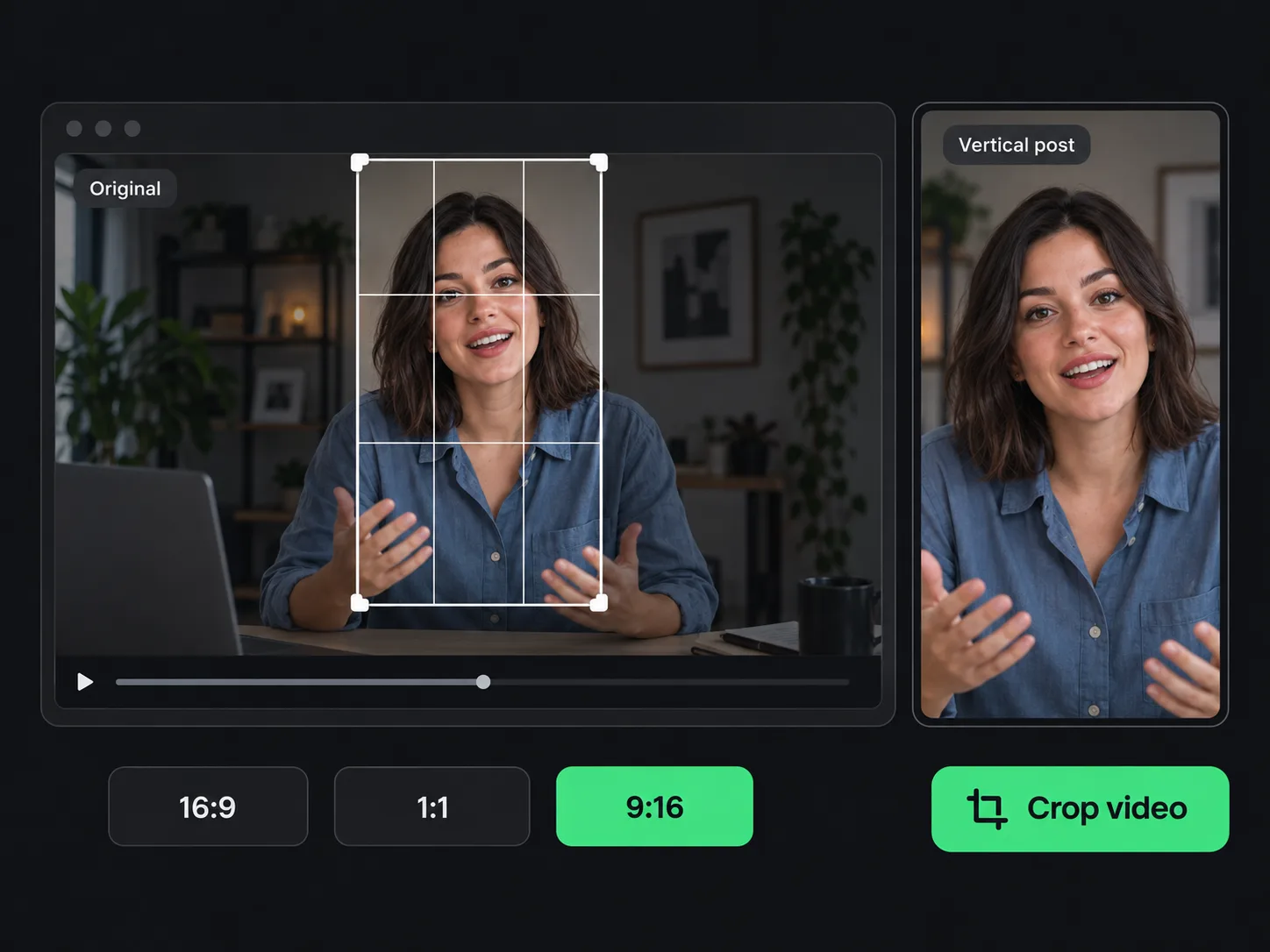
Prepare Clips for Social Posts
A wide recording may not fit a vertical post, while a portrait clip can leave too much empty space in a square layout. Choose a suitable aspect ratio and adjust the frame around your subject. This lets you prepare the same footage for feeds, stories, short videos, and other social placements without starting the edit again.
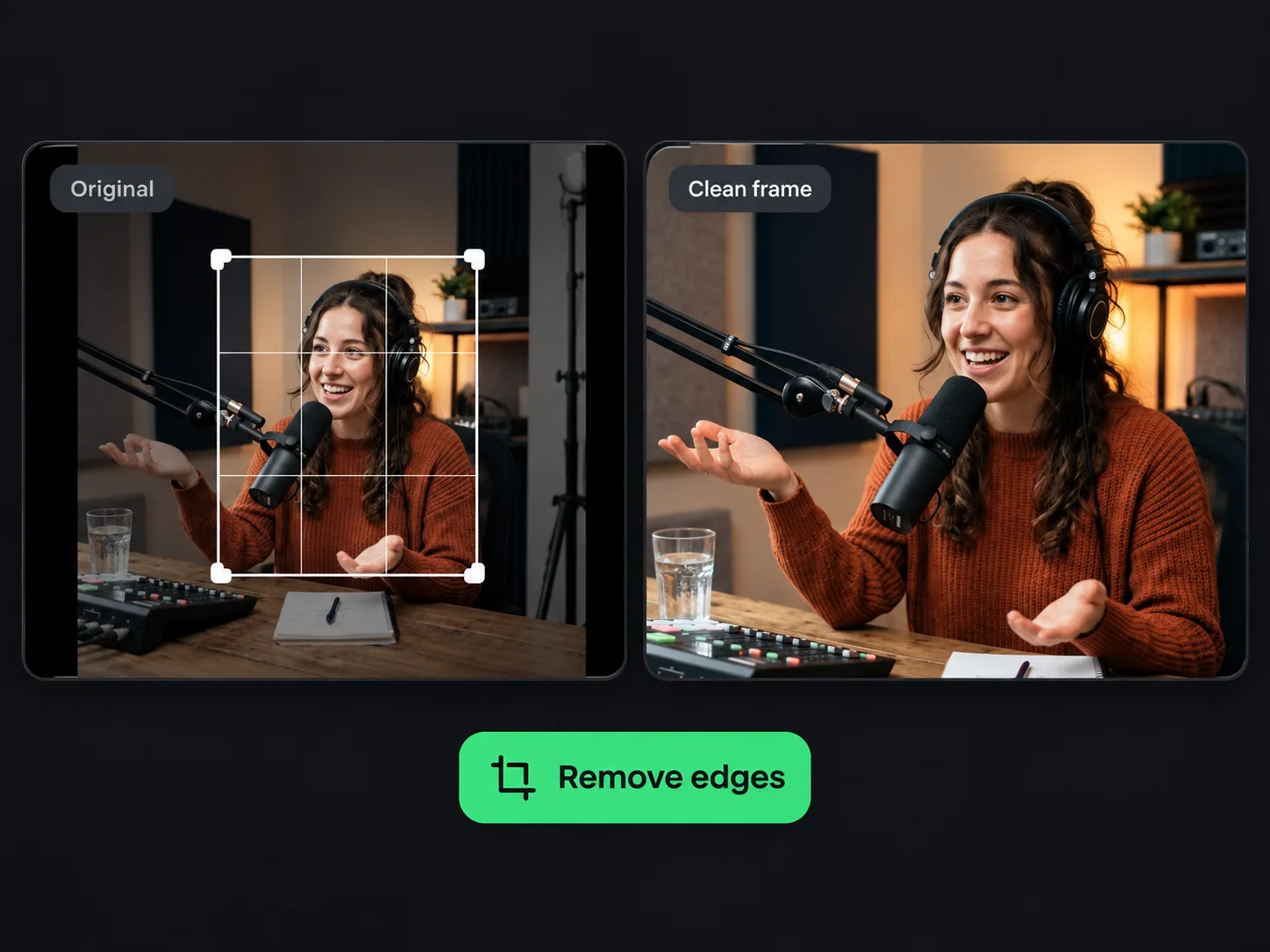
Clean Up Distracting Edges
Screen recordings, interviews, and casual footage often include black borders, empty areas, or objects near the edge. Select the useful part of the picture and remove the rest from view. A cleaner frame helps viewers focus on your message and can make a simple recording feel more polished without adding effects or rebuilding the project.
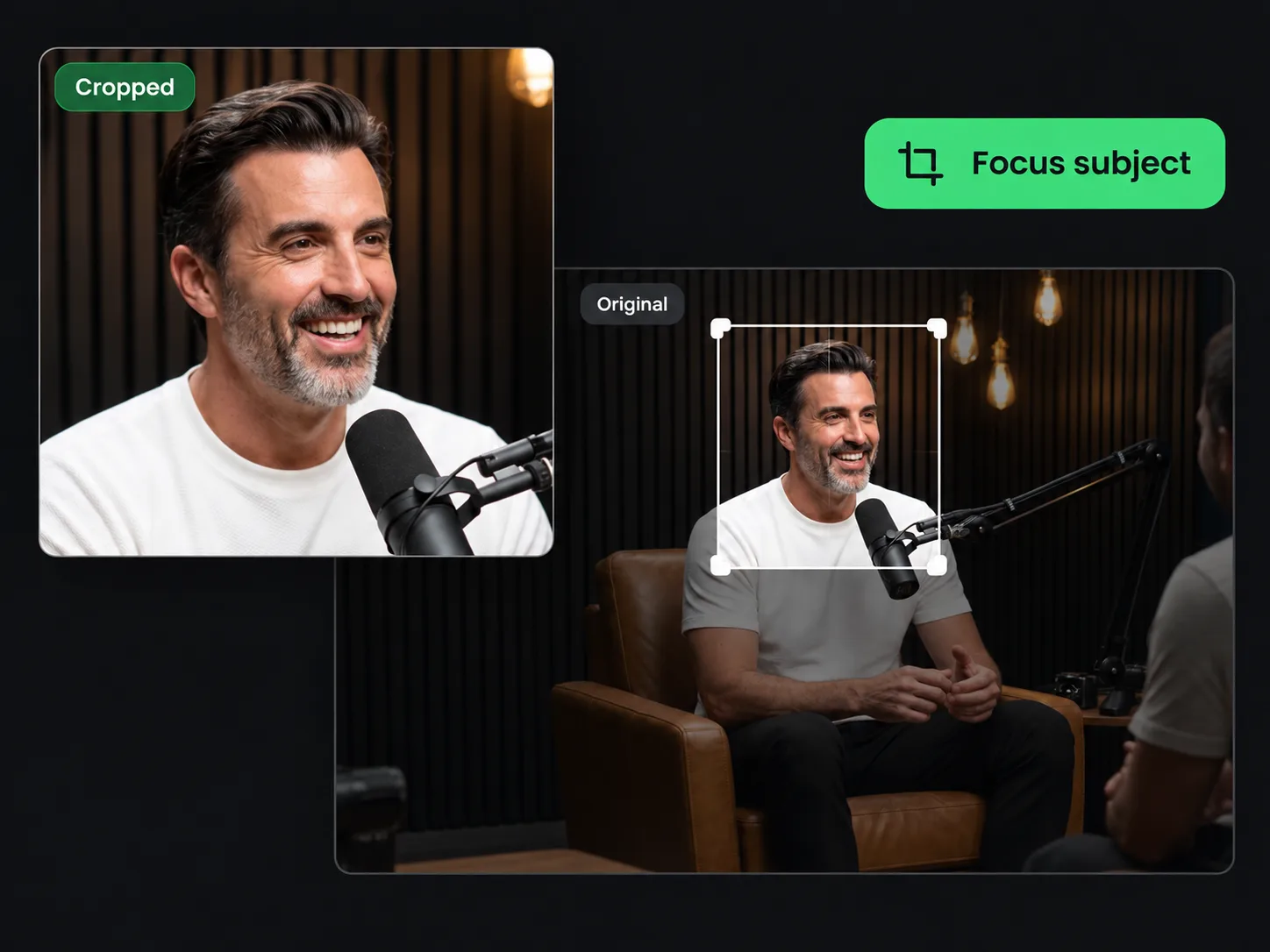
Bring the Main Subject Closer
A person, product, or important action can look too small when the original shot includes more background than you need. Draw a tighter frame around the subject and move it into a stronger position. This makes key details easier to see and helps the scene feel more focused, even when you cannot record the original footage again.
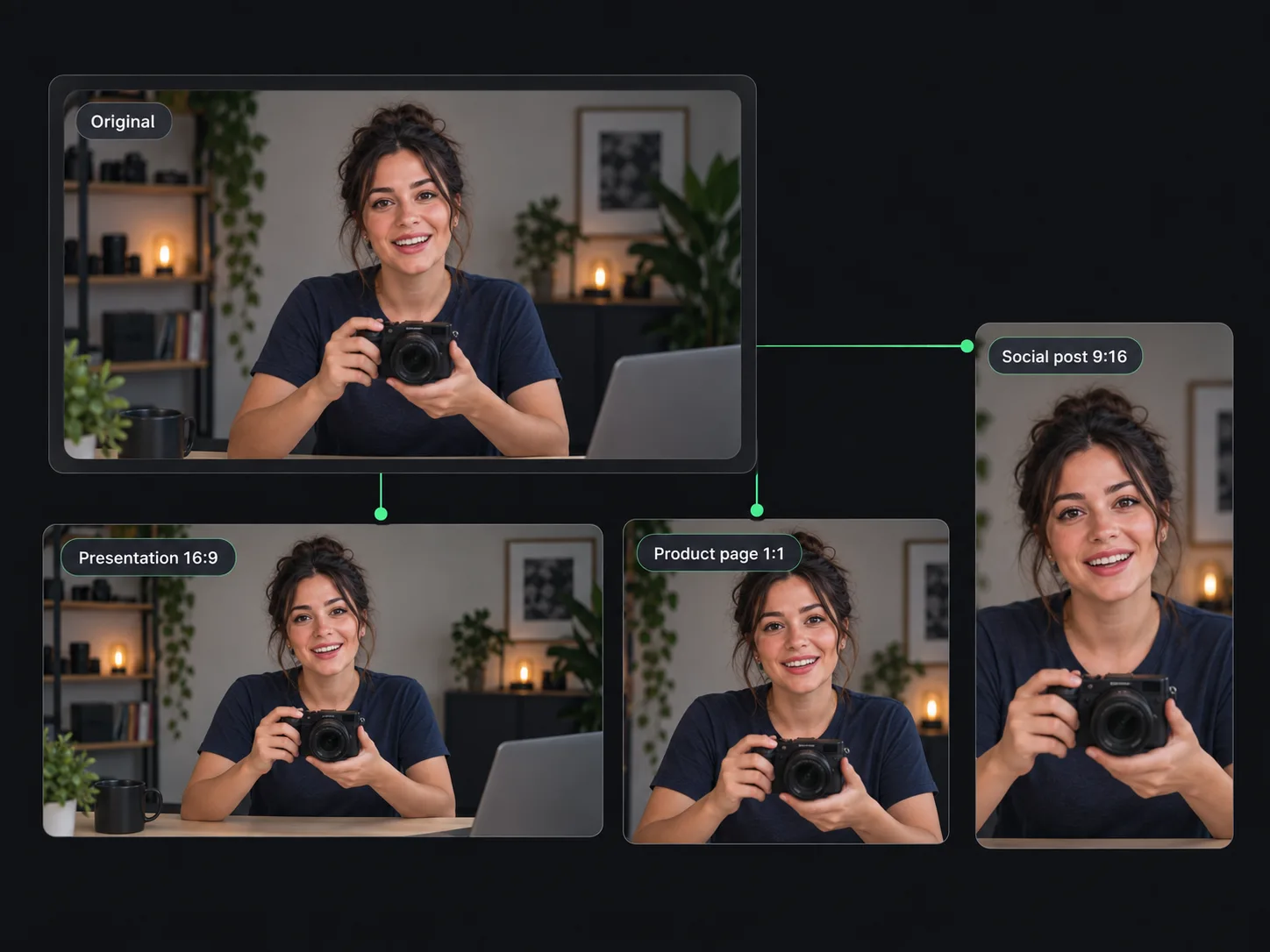
Reuse Footage for New Projects
One useful clip can serve more than one purpose. Crop it for a presentation, product page, social post, or client draft while keeping the original footage available for other layouts. An online video cropper helps existing content fit each project. When you also need shorter highlights from longer footage, continue with AI Clip Maker.
What Users Say About VideoTube's Video Cropper
I often turn one recording into three versions: a wide YouTube clip, a square feed post, and a vertical short. VideoTube's Video Cropper makes the process straightforward. I choose a preset ratio, reposition the frame around my subject, and finish each version without opening my full editing software.
Jessica Lee
Content Creator
Product demos do not always come out with the clean frame I planned. If a cable, empty desk space, or part of the studio appears near the edge, I use VideoTube's Video Cropper to tighten the shot while keeping the product in view. It helps me prepare a more polished campaign clip when filming another take is not practical.
Marcus Reed
Product Marketer
I use short screen recordings to explain lessons and software steps to my students. Browser tabs, menus, and blank areas can distract from what I am demonstrating, so I crop the recording to keep the useful part of the screen. The result is easier to follow, and I can prepare it without learning a complex video editor.
Amanda Kim
Online Educator
Clients often request the same clip in several layouts after the main edit is finished. VideoTube's Video Cropper lets me create those versions without rebuilding the timeline. I can choose a preset aspect ratio or set a custom frame, keep the subject properly positioned, and export a clean file without adding a lengthy step to my workflow.
Samuel Parker
Freelance Video Editor
I record product videos for my shop on my phone, so the framing is not always perfect. VideoTube's free online video cropper helps me remove extra background and bring the item closer without recording another take. The steps are easy to understand, and the downloaded video has no watermark covering the product or distracting customers.
Chloe Nguyen
Small Business Owner
Our podcast clips include two speakers, captions, and camera changes, so each post may need a different frame. The cropper helps me keep faces and on-screen text visible in square and vertical versions. I can check the composition, make a small adjustment, and move on to publishing without sending the clip back through a full editing project.
Taylor Wilson
Podcast Producer
Common Questions About VideoTube's Video Cropper
Ready to Get the Frame You Want?
Choose a preset aspect ratio or set a custom frame, then download your cropped video with no sign-up or watermark.